
If you’ve applied for the Canadian Dental Care Plan and aren’t sure where your application stands, you’re not alone. Thousands of Canadians are waiting for updates, and knowing how to check your CDCP status can save you time, reduce stress, and help you access the dental care you need sooner. This guide walks you through every method available in 2026, explains what each status message means, and shows you exactly what to do next, whether you’re still waiting or already approved. And if you’re ready to book your first appointment, Smile Avenue Dentistry is here to welcome CDCP patients with open arms.


What Is the Canadian Dental Care Plan (CDCP)?
The Canadian Dental Care Plan (CDCP) is a federal government program designed to provide oral health coverage for eligible Canadians who don’t have access to private dental insurance. Launched by Health Canada, the plan helps cover the cost of a wide range of dental services, from routine checkups and cleanings to more complex procedures, making dental care more accessible for millions of people across the country.
Read More: CDCP Eligibility: Who Can Access Canadian Dental Care
The program is intended for Canadian residents who meet specific income and insurance criteria, with coverage delivered through participating dental providers nationwide. If you’ve recently applied or are considering applying, understanding how the plan works is the first step toward making the most of your benefits.
What You Need Before Checking Your CDCP Status
Before you check your CDCP application status, make sure you have the following information on hand. Having these ready will make the process faster and help you avoid any interruptions mid-way.
- Your Social Insurance Number (SIN)
- Your date of birth
- Your application reference number (if you received one)
- Access to your My Service Canada Account (for online checks)
- A phone or mailing address associated with your application
If you applied on behalf of a family member, you may also need their personal information available, depending on the method you use to check.
How to Check Your CDCP Application Status
There are several ways to check your CDCP application status, depending on your preference and access to technology. Each method is official and will give you the same up-to-date information about where your application stands.
Check Online via Service Canada
Checking online is the fastest and most convenient option for most applicants. Follow these steps to get your status in minutes.
- Go to the official Service Canada website at canada.ca
- Sign in to your My Service Canada Account using your GCKey or Sign-In Partner credentials
- Navigate to the Canadian Dental Care Plan section from your dashboard
- Select “Check Application Status” to view your current status and any recent updates
If you don’t have a My Service Canada Account, you can register on the same page before proceeding.
Note: If your child does not have a SIN, you cannot use the automated phone service. You’ll need to use the online Status Checker or speak with a representative directly.
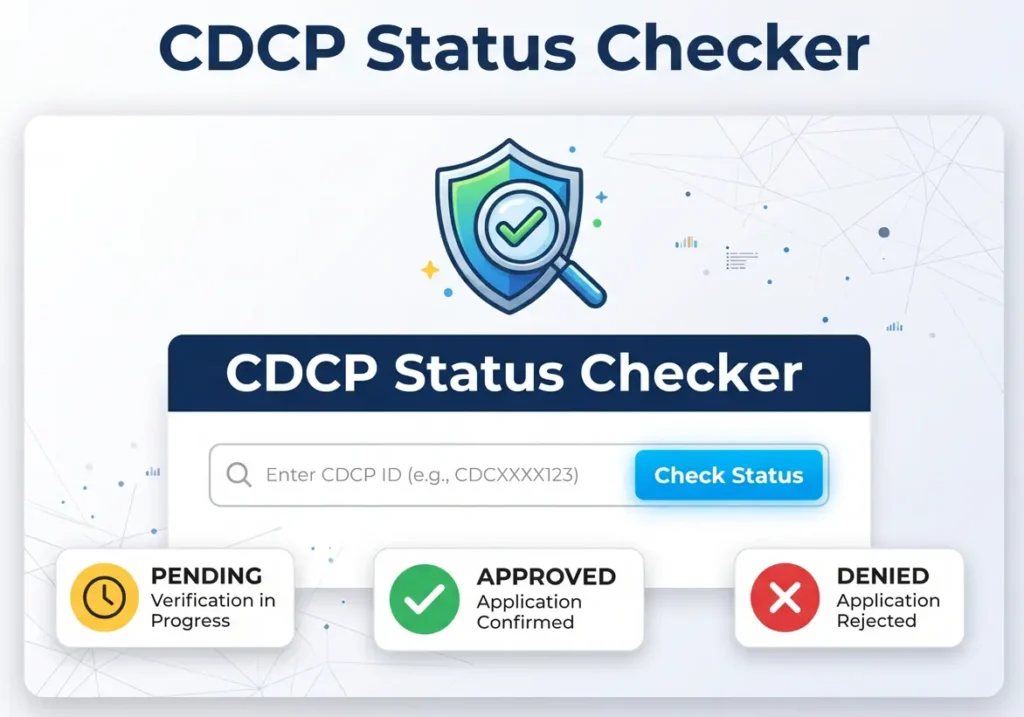
Visit the official Status Checker page at srv024.service.canada.ca/en/status
Check by Phone
If you prefer to speak with someone directly or don’t have online access, the phone option is straightforward.
- Call the CDCP dedicated line at 1-833-537-4342
- Have your Social Insurance Number and date of birth ready before the call
- Follow the automated prompts or wait to speak with a live agent
- Ask for your current application status and note any reference numbers provided
The automated phone service is available 24/7. To speak with a live representative, call Monday to Friday from 8:30 a.m. to 4:30 p.m. local time.
Read More: Does CDCP Cover Braces and Orthodontics in Canada?
Understanding Your CDCP Status Messages
Once you check your CDCP application status, you’ll see one of several standard messages. Understanding what each one means helps you know whether to wait, take action, or move forward with booking your dental care. Here is a quick breakdown of the most common status messages and what they mean for you.
| Status Message | What It Means | What You Should Do |
|---|---|---|
| In Process (Processing) | Your application has been received and is under review. This is normal and typically takes 4 to 6 weeks. | No action required. |
| Needs More Details | Service Canada requires additional information or documents before they can finalize your application. | Check your MSCA inbox or mail for a letter explaining what is needed and respond promptly. |
| Approved (Determined Eligible) | Your application has been accepted. A confirmation letter and a Sun Life welcome package with your member ID card will be sent to you. | Wait for your official coverage start date before booking any covered appointments. |
| Denied (Not Eligible) | Your application did not meet the eligibility criteria. A determination letter will explain the reason. | You may reapply in the future if your circumstances change, such as losing private insurance or a change in income. |
Common Issues When Checking CDCP Status
Checking your CDCP application status is usually simple, but a few common issues can slow things down. If something isn’t working, one of the fixes below should get you back on track.
- If you can’t log in to your My Service Canada Account, double-check that your SIN, date of birth, and postal code are entered exactly as they appear on your official documents.
- If the online tracker isn’t loading or responding, try switching to a different browser, clearing your cache, or accessing it from another device.
- If your status has shown “In Process” for more than 6 weeks without any update, contact Service Canada directly to follow up on your file.
- If you received a “Needs More Details” status but no letter has arrived, check your MSCA inbox first, as digital notices are usually posted there before a physical letter reaches you by mail.
- For any issues you can’t resolve on your own, call CDCP phone support at 1-833-537-4342 or reach the TTY line at 1-833-677-6262 for assistance.
Read More: How to Find a CDCP Dentist Near You
How to Find a Dental Clinic Accepting CDCP
Once your CDCP application is approved, the next step is finding a participating dental provider that accepts your coverage. Not all dental clinics are registered with the plan, so it’s important to confirm before booking an appointment.
You can search for participating providers through the official Sun Life directory at sunlife.com or by calling Service Canada at 1-833-537-4342. When contacting a clinic, ask specifically whether they are enrolled in the CDCP and whether they are accepting new patients under the plan.

If you’re looking for a trusted clinic that welcomes CDCP patients, Smile Avenue Dentistry is ready to help. Our team is familiar with the plan’s covered services and can walk you through exactly what your benefits include from the moment you walk in. Book your appointment today and put your CDCP coverage to work.
FAQ
What to Do If Your Application Is Delayed?
If your CDCP application takes longer than 4 to 6 weeks, check your status online through MSCA or the Status Checker. If no updates appear, call Service Canada at 1-833-537-4342 or visit a Service Canada Centre with your SIN and ID.
What to Do If You Don’t Qualify for CDCP
Read your determination letter to find out why your application was denied. Fix any errors and reapply, or request a review by calling 1-833-537-4342. You can also reapply later if your income drops or you lose private dental insurance.
What Happens After Your CDCP Application Is Approved?
You’ll receive a confirmation letter from Service Canada with your coverage start date, followed by a welcome package from Sun Life with your member ID card. Once your start date arrives, book an appointment with a participating CDCP dentist to begin using your benefits.